
A ROAD JOURNAL FOR NEW DRIVERS
Find your
own way.
The first quiet street. The long way home.
A little more confidence with every drive.
Keep your supervised practice in a journal that feels as good as the journey. Made for learners. Built with family in mind.
Take a look insideFor iPhone & iPad Free on the App Store
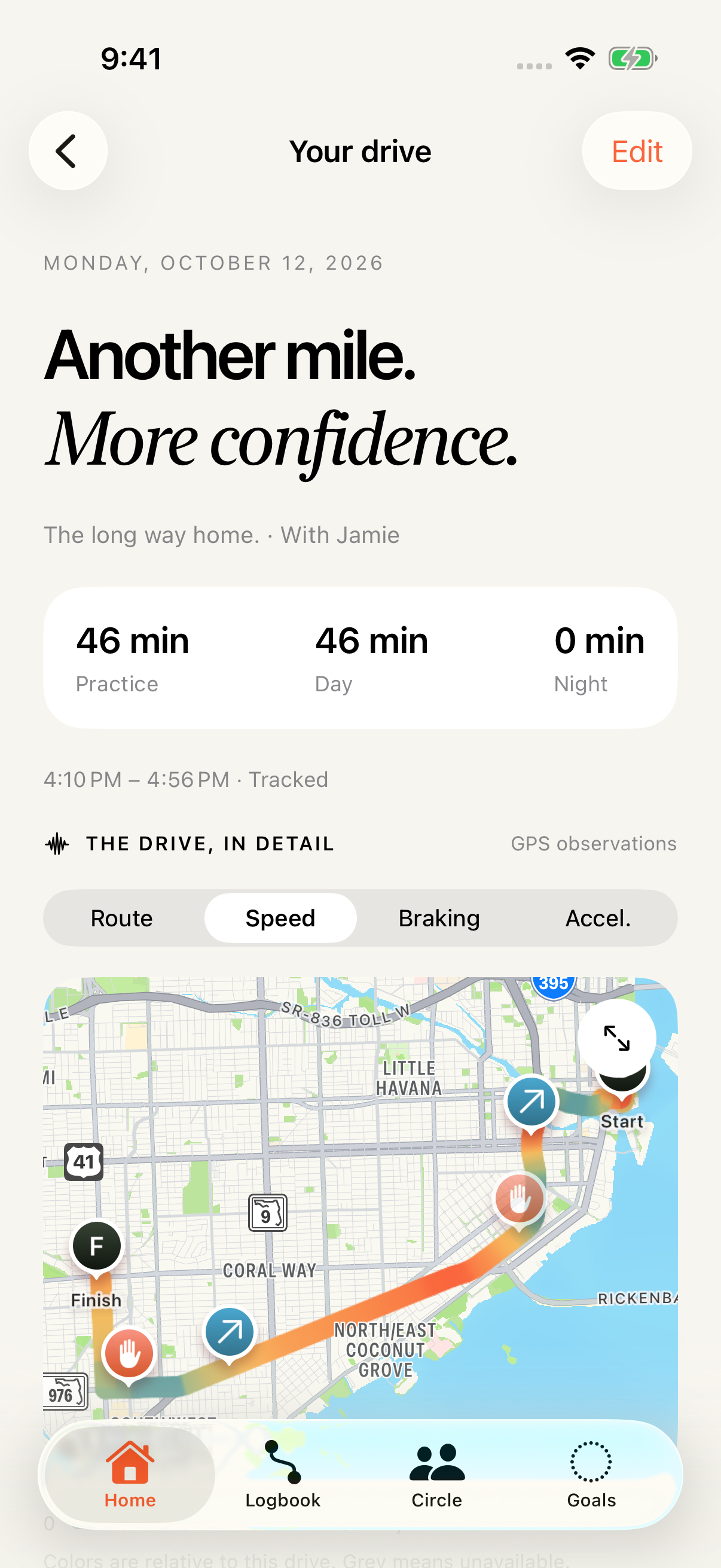
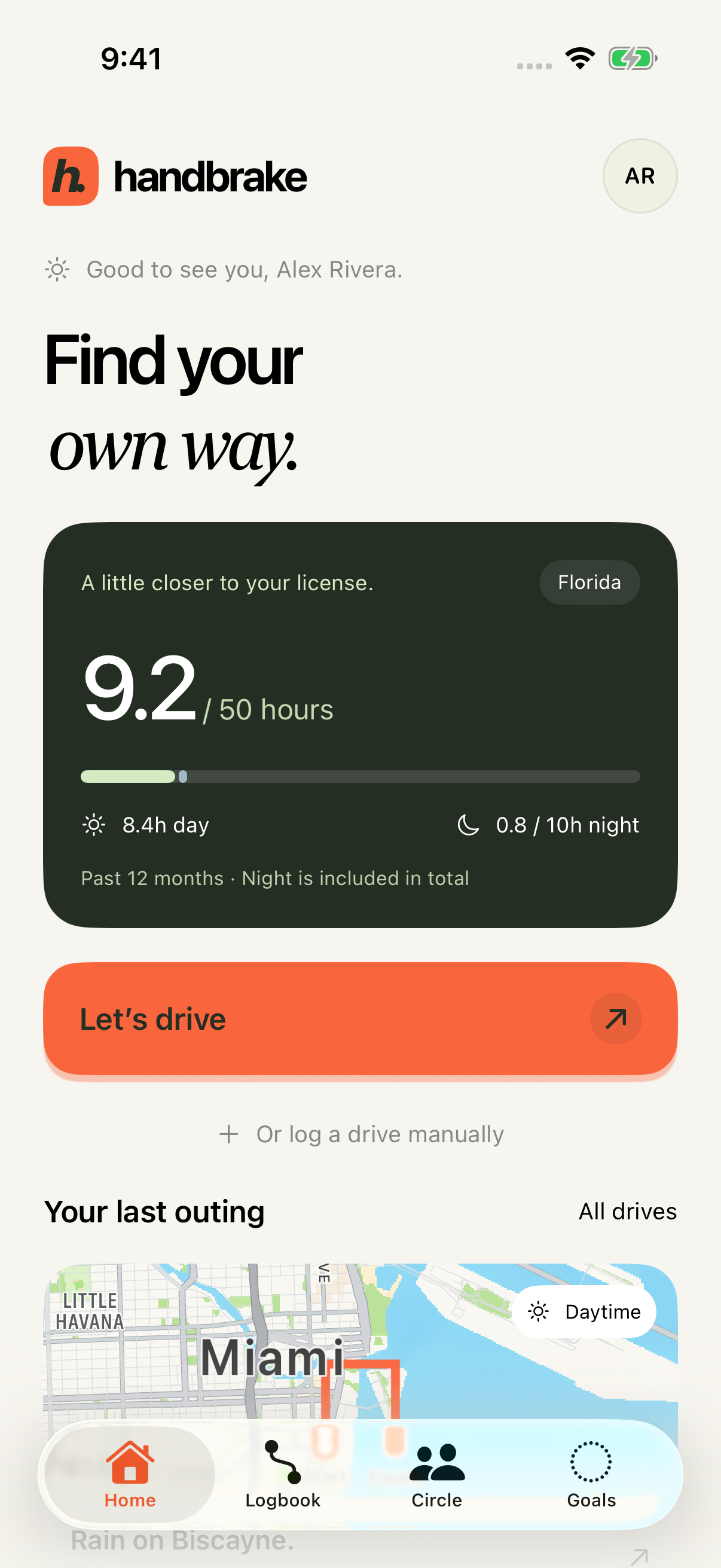
Supervised practice, remembered.
Day & night, accounted for.
A little support, on your terms.
01 / THE LITTLE THINGS ADD UP
More than hours.
Your first chapter.
A place for the drives that get you there. Check the weather, head out with your supervising adult, then come back and make it part of your story.
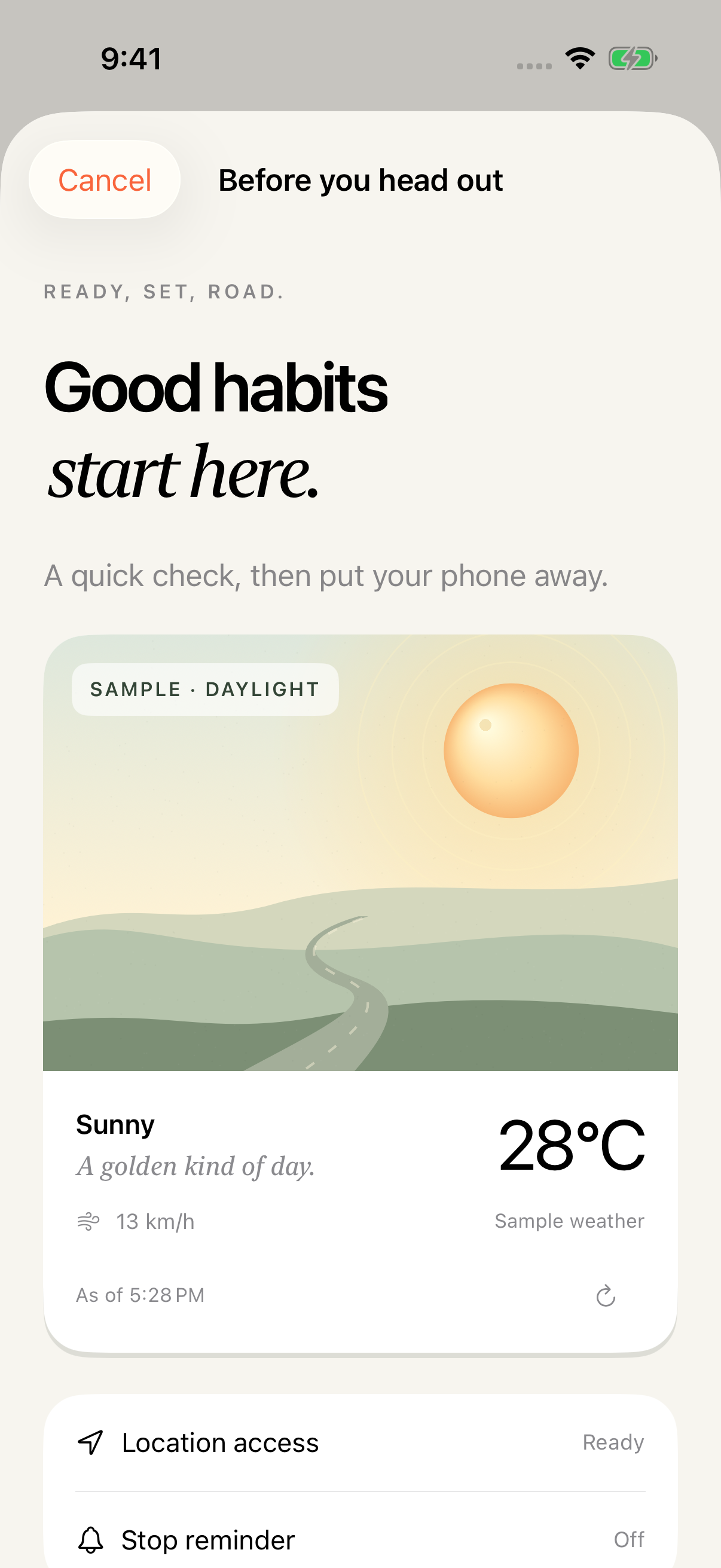
Ready, set, road.
A quick check of the weather before you put your phone away.
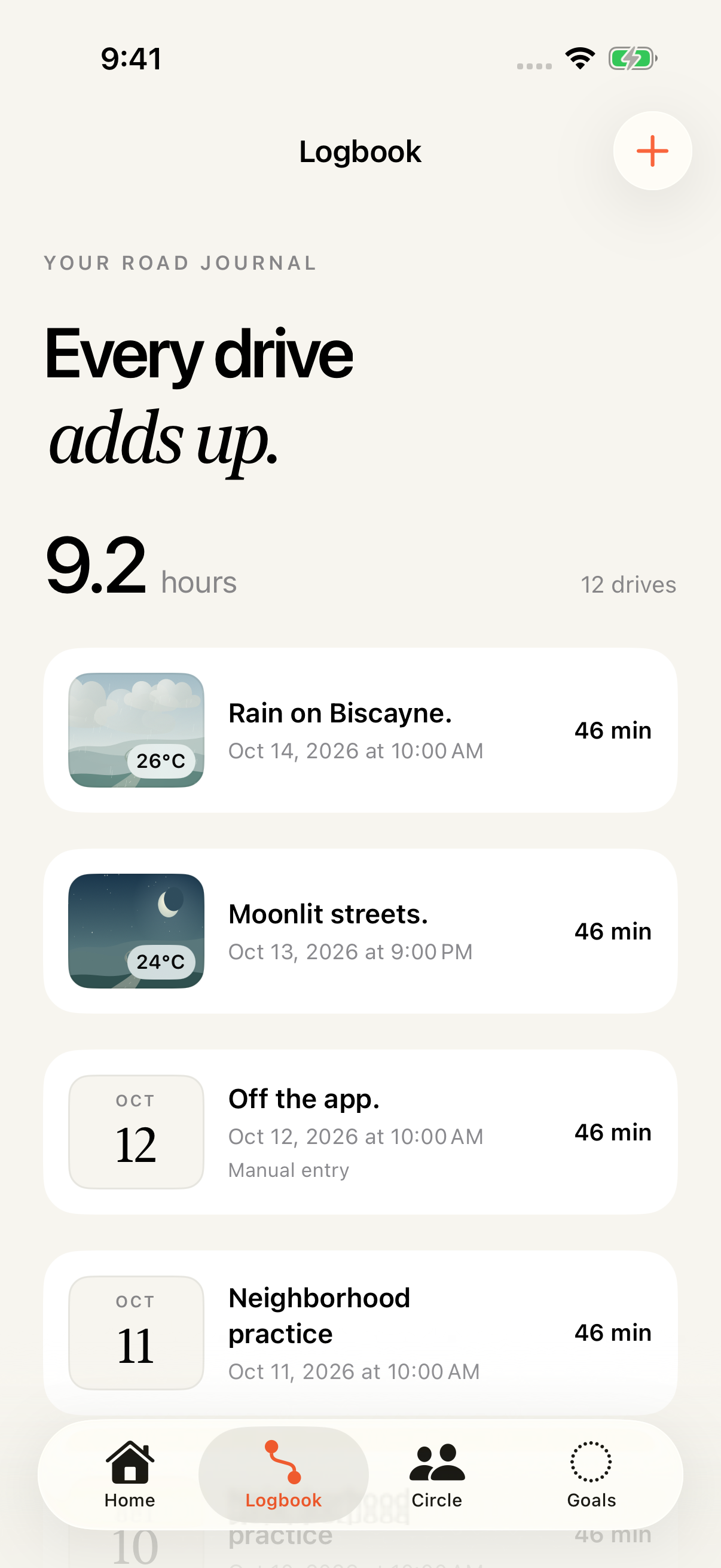
Every drive, a page.
Keep reviewed practice, day and night hours, and recorded weather together.
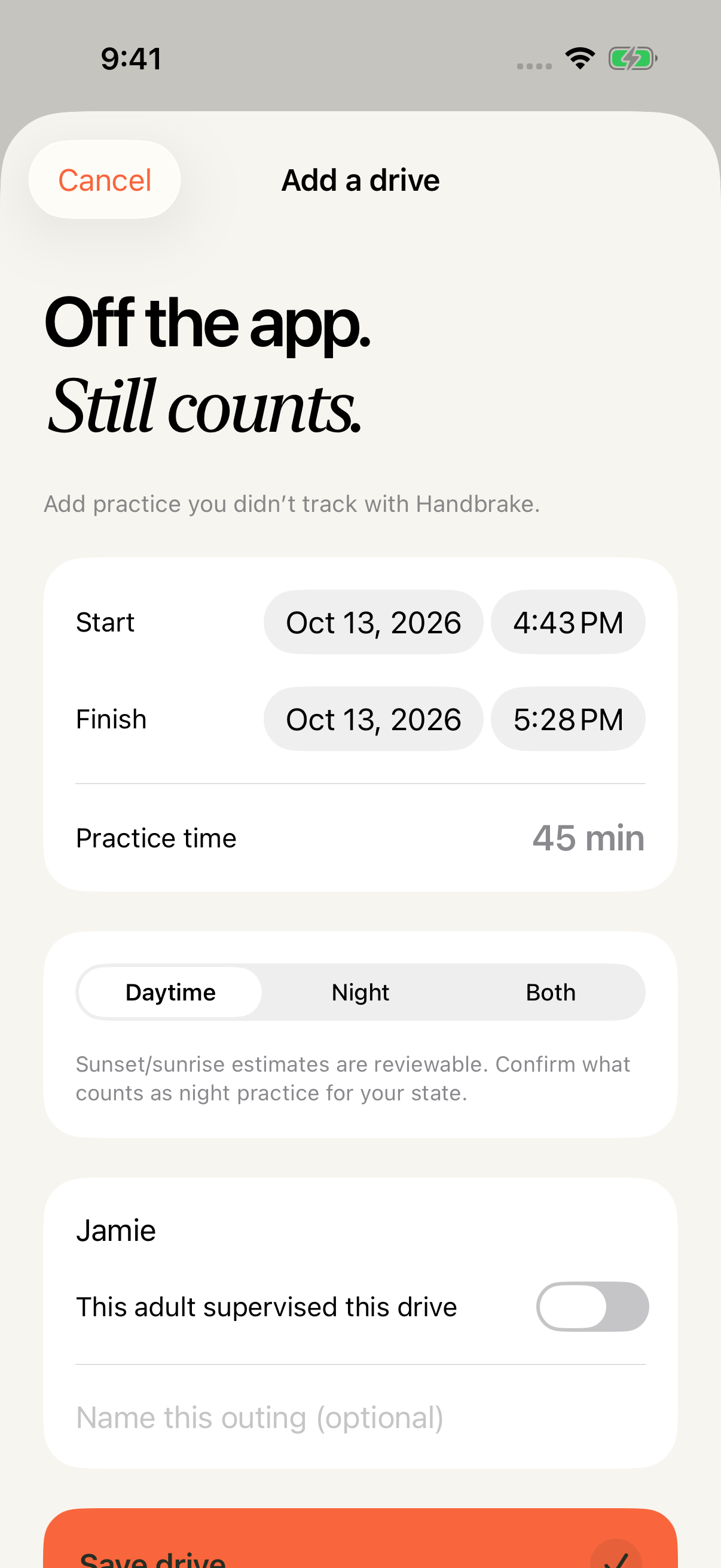
Life happens. Log it.
Forgot to start a session? Add your supervised practice by hand.
Real app screens. Fictional practice entries and sample weather shown.
02 / A LITTLE ROAD WISDOM
One more look.
A little more to notice.
Take a quiet moment while parked. Explore 60 short, illustrated scenes about observation, space and thoughtful decisions — from a hidden crossing to a small light up ahead.
Between drives. At your own pace.
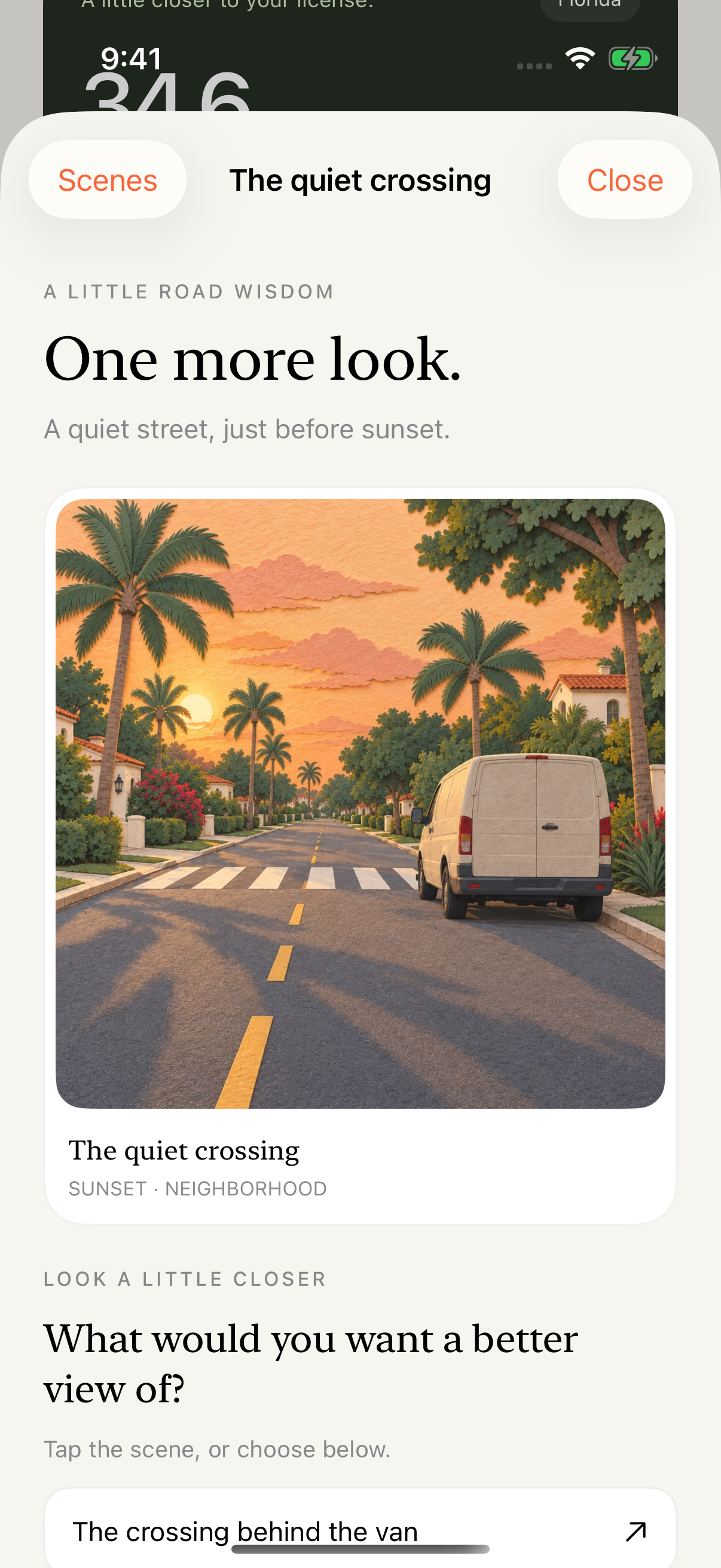
Notice a little more.
Look past the obvious. A parked van, a turning signal or a gap in the hedge can change the picture.
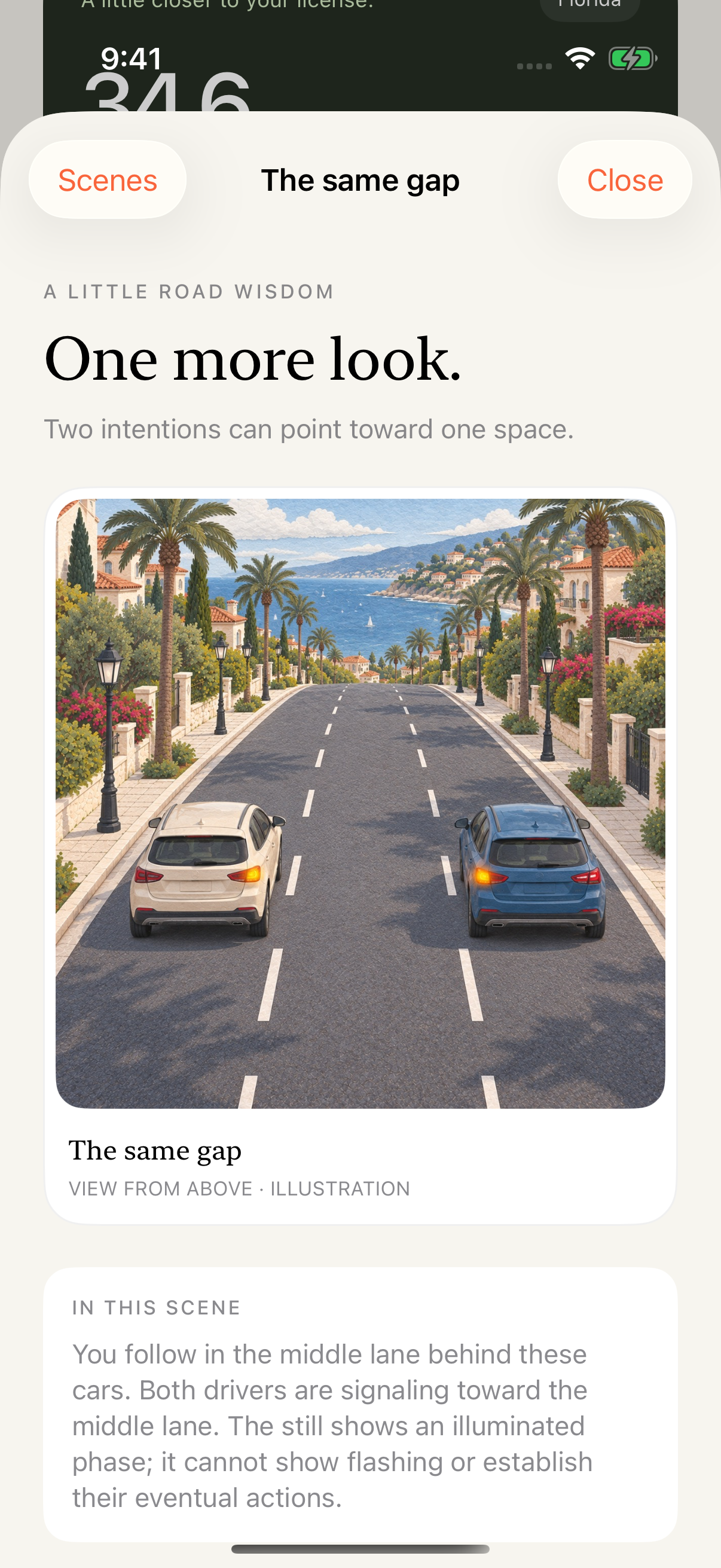
Change your view.
Some scenes invite another angle. Compare what you can see before deciding what deserves your attention.
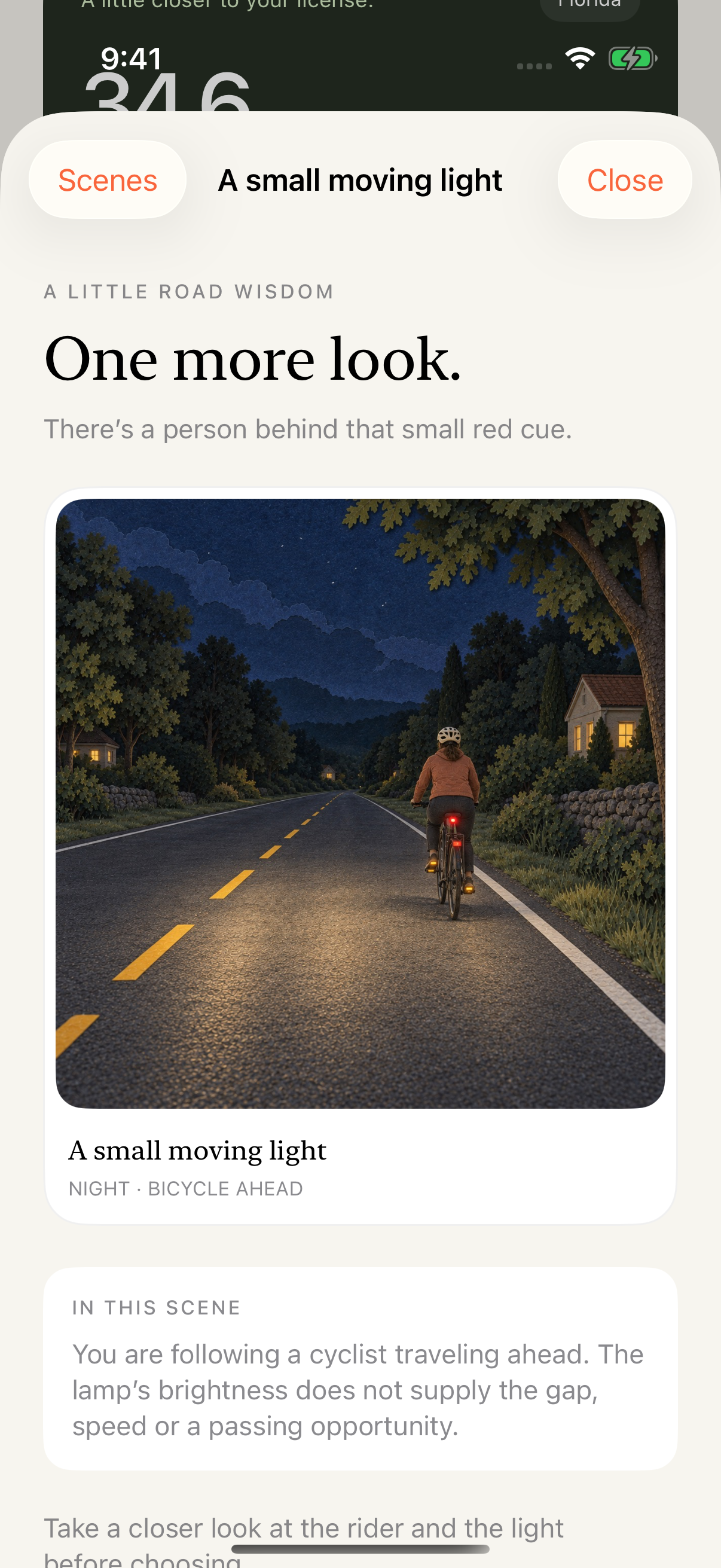
Keep one useful idea.
Use a hint, look again and leave with a simple takeaway for your next supervised drive.
See a sample takeaway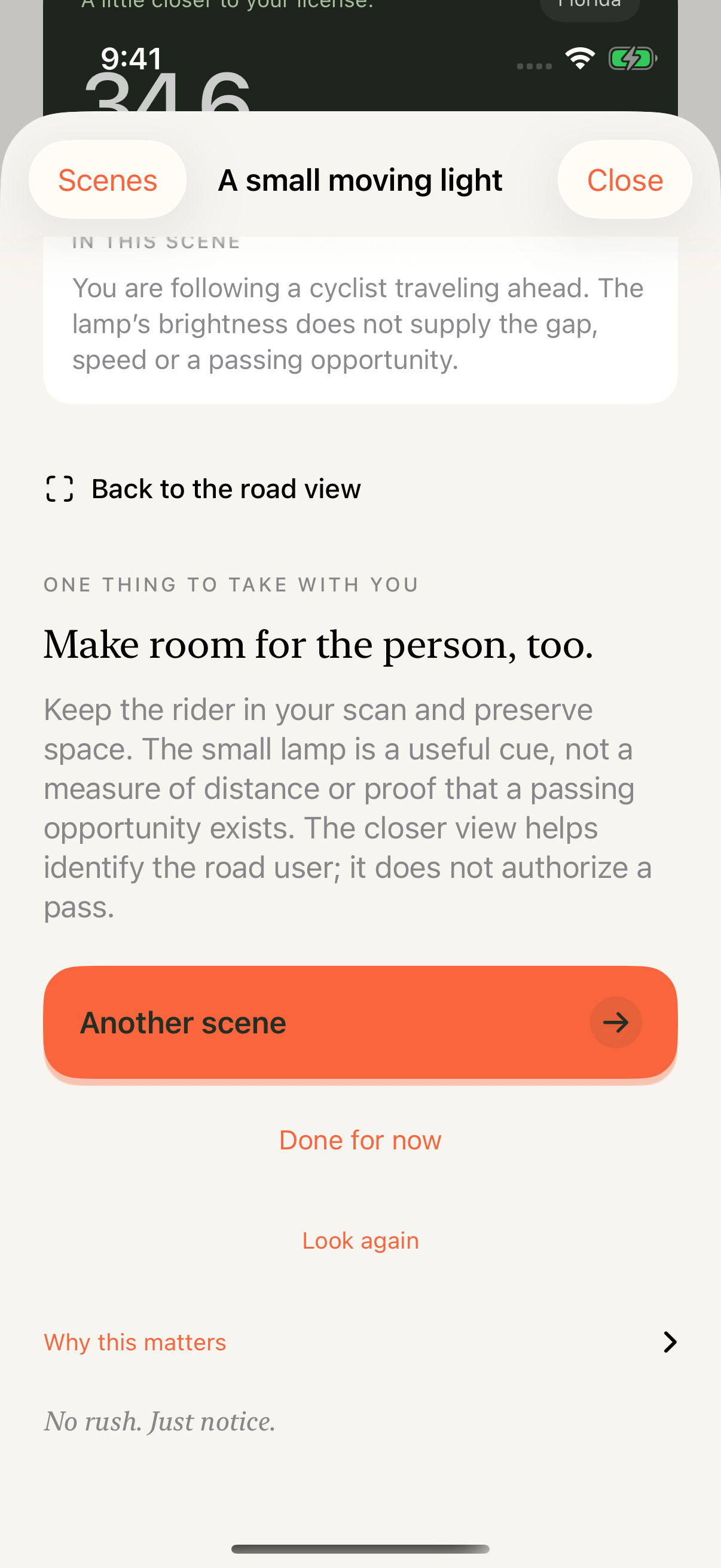
Works offline. No timer, grades or practice-hour credit.
Real app screens. Illustrated teaching scenarios.
03 / ROOM FOR YOUR PEOPLE
A little support.
A long way.
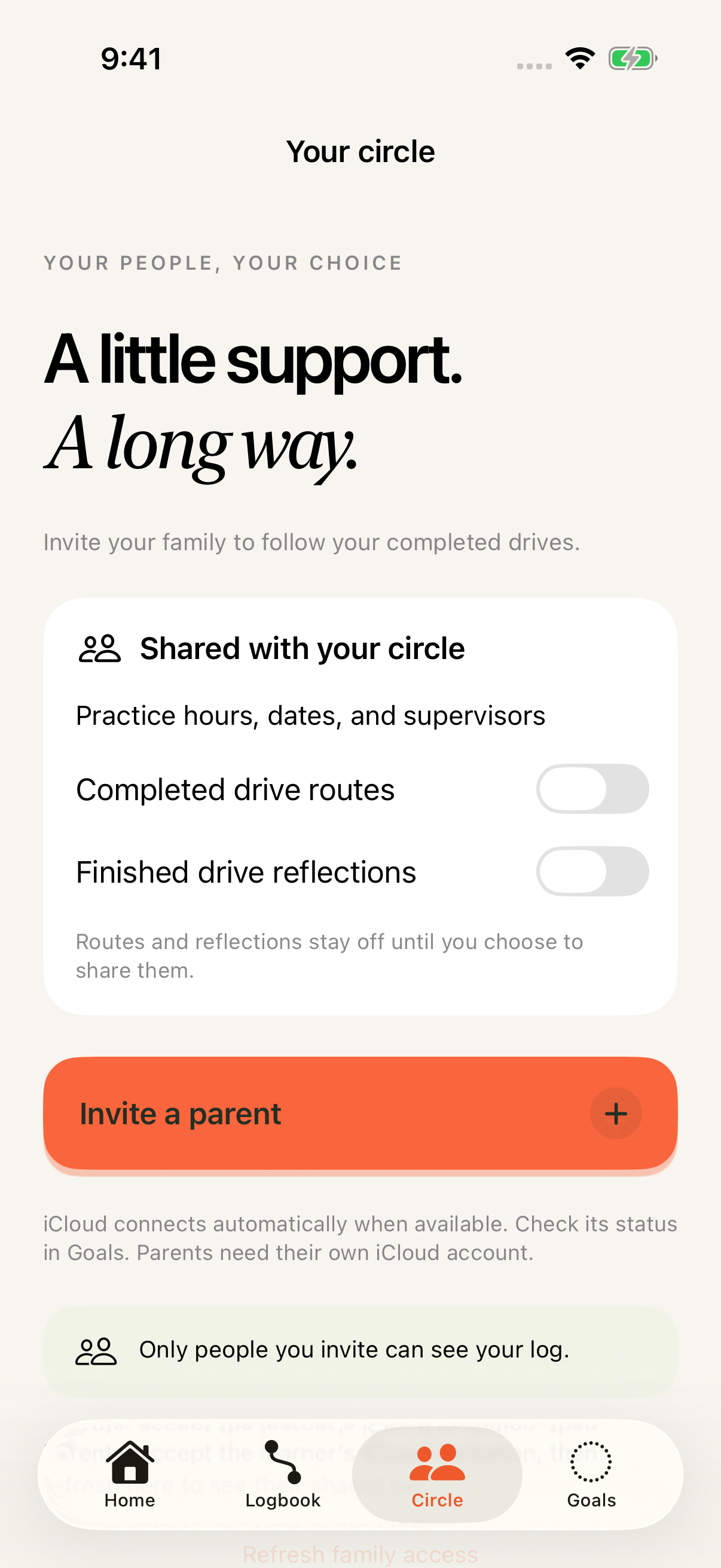
Let the people cheering you on follow your progress. You choose who gets invited and what they can see.
- Your journal stays yours.Family access is by private invitation, with a read-only view of selected completed drives.
- The route is your call.Routes and reflections stay hidden from your Circle unless you turn them on.
- A quieter kind of app.No ads or analytics SDKs. Just one optional alert: a reminder to finish a stopped drive.
04 / FROM THE ROAD TO THE RECORD
Your practice.
On paper.
The hours are yours. The record should be, too.
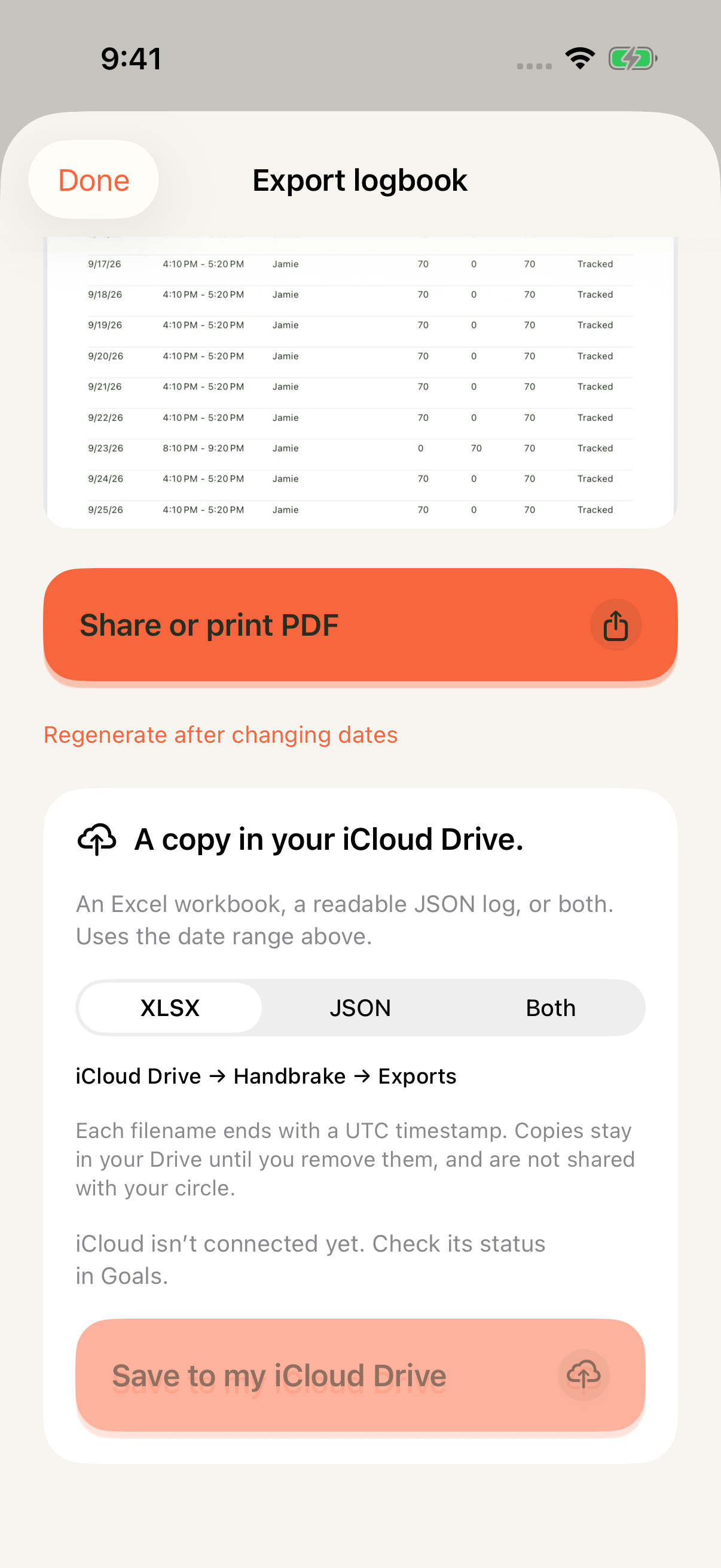
Turn reviewed, supervised drives into a neatly organized practice log. Preview and share a PDF, or save spreadsheet and JSON copies to your own iCloud Drive.
Florida goals and its certification attachment are included. Other states use custom goals. Practice logs support your records; they don’t certify licensing eligibility.
A FEW THINGS TO KNOW
Before you
head out.
Who is Handbrake for?
Learner drivers recording supervised practice, and the family members they invite to follow along. It’s a native iPhone and iPad app, with iOS 18 or later required.
Does everyone see my driving journal?
No. Your personal journal is saved locally and can sync through your own iCloud account. Your Circle gets a separate, limited view by private invitation. Routes and completed reflections are off by default.
Can I use it without iCloud?
Local practice logging and PDF export work without an iCloud account. Owner synchronization, family sharing, and saving XLSX/JSON copies to iCloud Drive require the appropriate iCloud account.
What about driving reflections?
On supported devices, Handbrake uses the on-device Apple Intelligence model to offer brief, cautious reflections. Other devices use a local explanation. Driving observations are estimates, not a safety score.
Where do I get Handbrake?
It’s free on the App Store, listed as Handbrake: driving log. Every feature is free; optional tips unlock nothing. Installing Handbrake doesn’t grant access to anyone else’s journal; that takes a separate Circle invitation.
A SMALL BEGINNING. NOW ON THE APP STORE.
See you
down the road.
Handbrake is free for iPhone and iPad.
On the App Store, look for Handbrake: driving log.